

Building with AI is no longer just trying to generate a decent-looking homepage from a prompt. Now, the more interesting question is how far they can take an idea beyond that first page—whether users can shape the result, add more functional features, and eventually turn it into something that is actually usable.
That scope now extends well beyond conventional websites. Hostinger provides AI Builder as a tool for creating web apps and interactive experiences such as chatbots, writing assistants, quizzes, games, and visualizers, alongside ecommerce sites and other online products.
To see how that works in practice, Hostinger gave Asia Tech Lens access to AI Builder, which approaches the process in two ways: Manual Mode, built around visual editing, and Agentic Mode, which lets users build and modify projects conversationally. That proposition is particularly aimed at solopreneurs and small businesses that may not have a development team of their own. We tried both to see what we could create and how differently the two approaches work.
Two Ways to Build
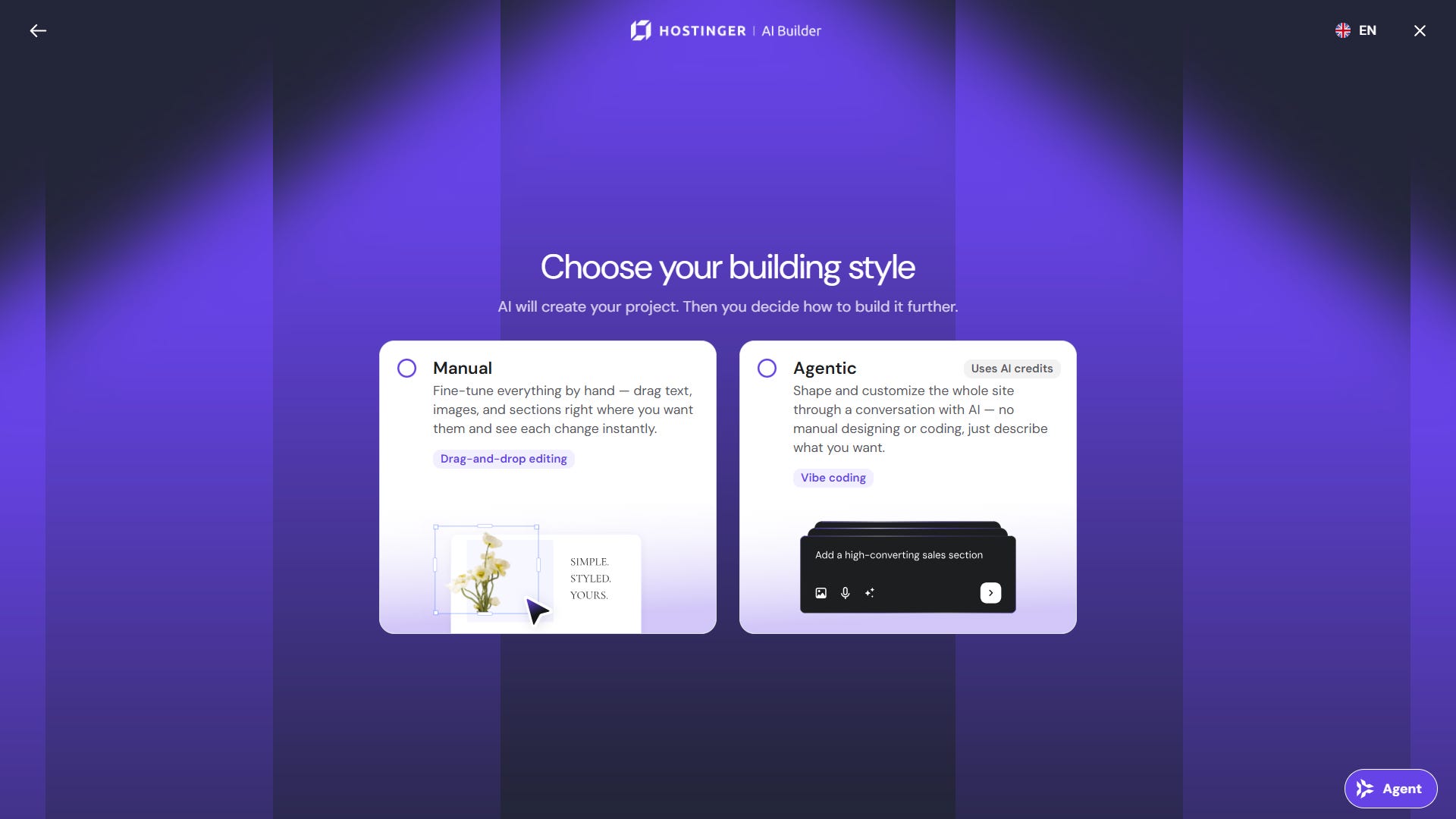
Manual Mode generates an initial website and then hands control back to the user through a drag-and-drop visual editor. Hostinger positions it for more conventional projects such as portfolios, blogs, business websites, and online stores. Built-in AI tools can also generate copy, imagery, and other content without consuming AI credits, which is a usage allowance required for certain AI actions. The platform also supports more than 80 languages.
Meanwhile, Agentic Mode takes a more conversational approach. Instead of manually arranging most elements, users can describe what they want through chat or voice and have the AI create or modify it. This opens the builder up to a much wider range of projects, from dashboards and client portals to reservation systems, budgeting tools, alongside other online products. A code editor is also available for users who want more direct control over the underlying code.
In practice, the distinction is clear: one mode is largely about showing the builder what you want a site to look like, while the other lets you explain what you want a product to do. That makes AI Builder accessible to less technical users, while still giving more experienced users room to build and iterate efficiently.
Building a Technology Media Website
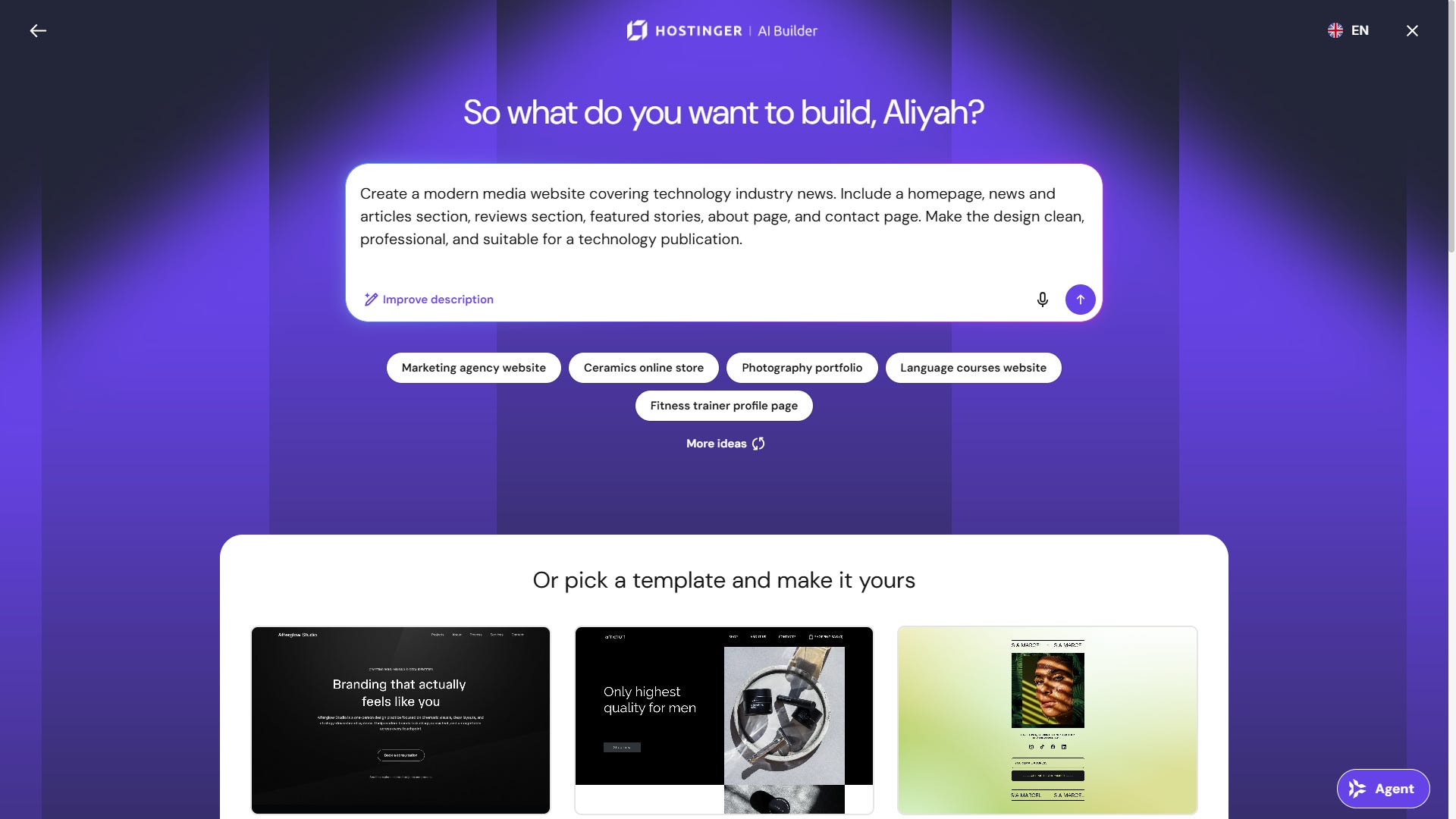
We started with Manual Mode and a relatively straightforward request: create a modern media website covering technology industry news, with a homepage, news and articles section, reviews section, featured stories, about page and contact page.
The first result was generated in roughly 40 to 45 seconds.
What stood out was how much of the basic structure was already there. Hostinger generated a homepage layout, navigation, article sections, imagery, typography and calls to action that broadly matched what we had asked for. It did not feel like an empty template waiting to be built; it already looked like the foundation of a technology publication.
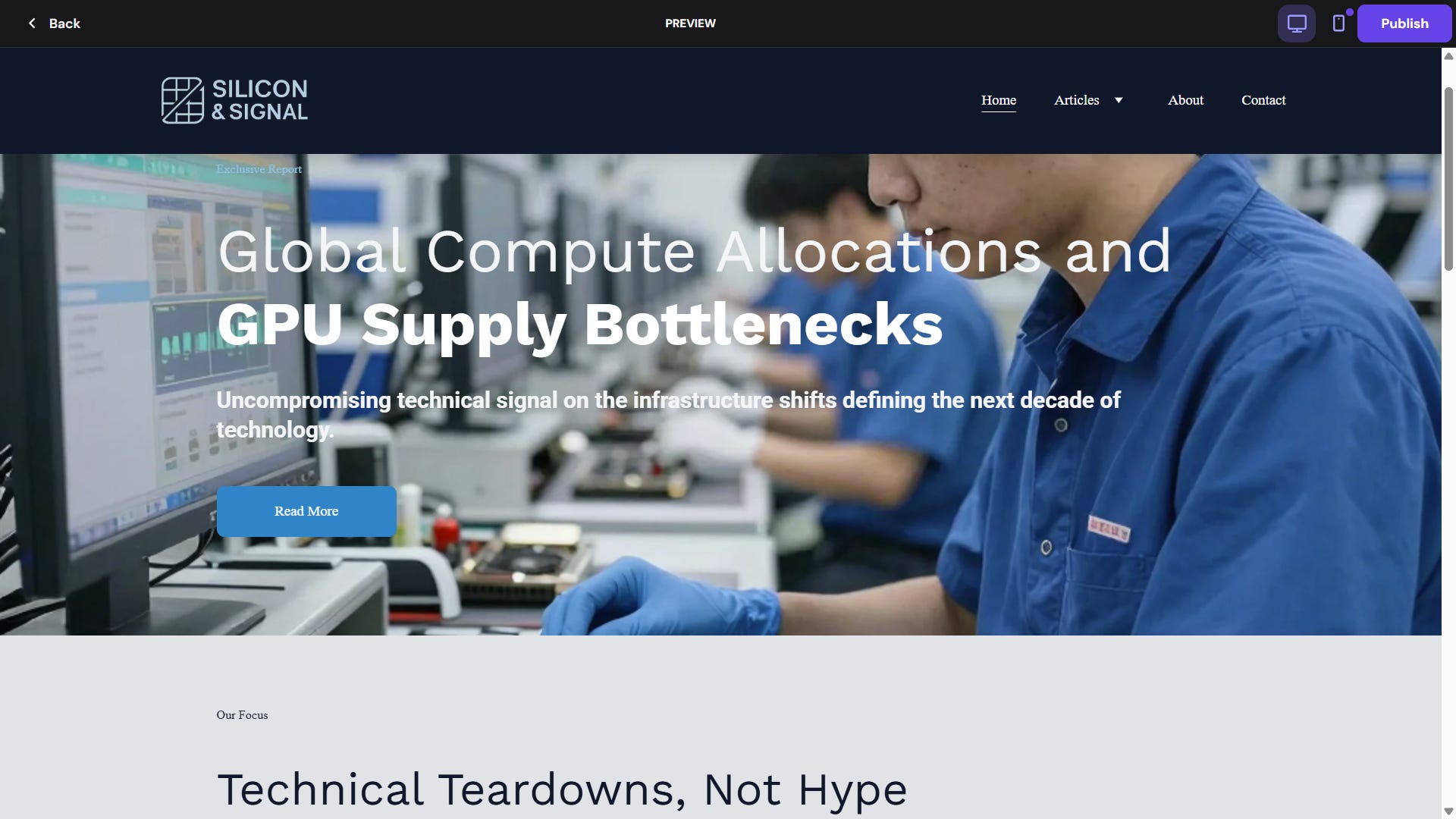
That does not mean it was immediately publication-ready. Generic AI copy and imagery still needed replacing, article cards could be standardized, spacing and typography refined, and the overall visual hierarchy tightened. A real publication would also want to add its own branding and check how everything behaves across screen sizes.
But that remaining work was largely editorial and visual rather than technical. There was no need to start thinking about HTML, CSS or page structure. Most adjustments could simply be made through the interface.
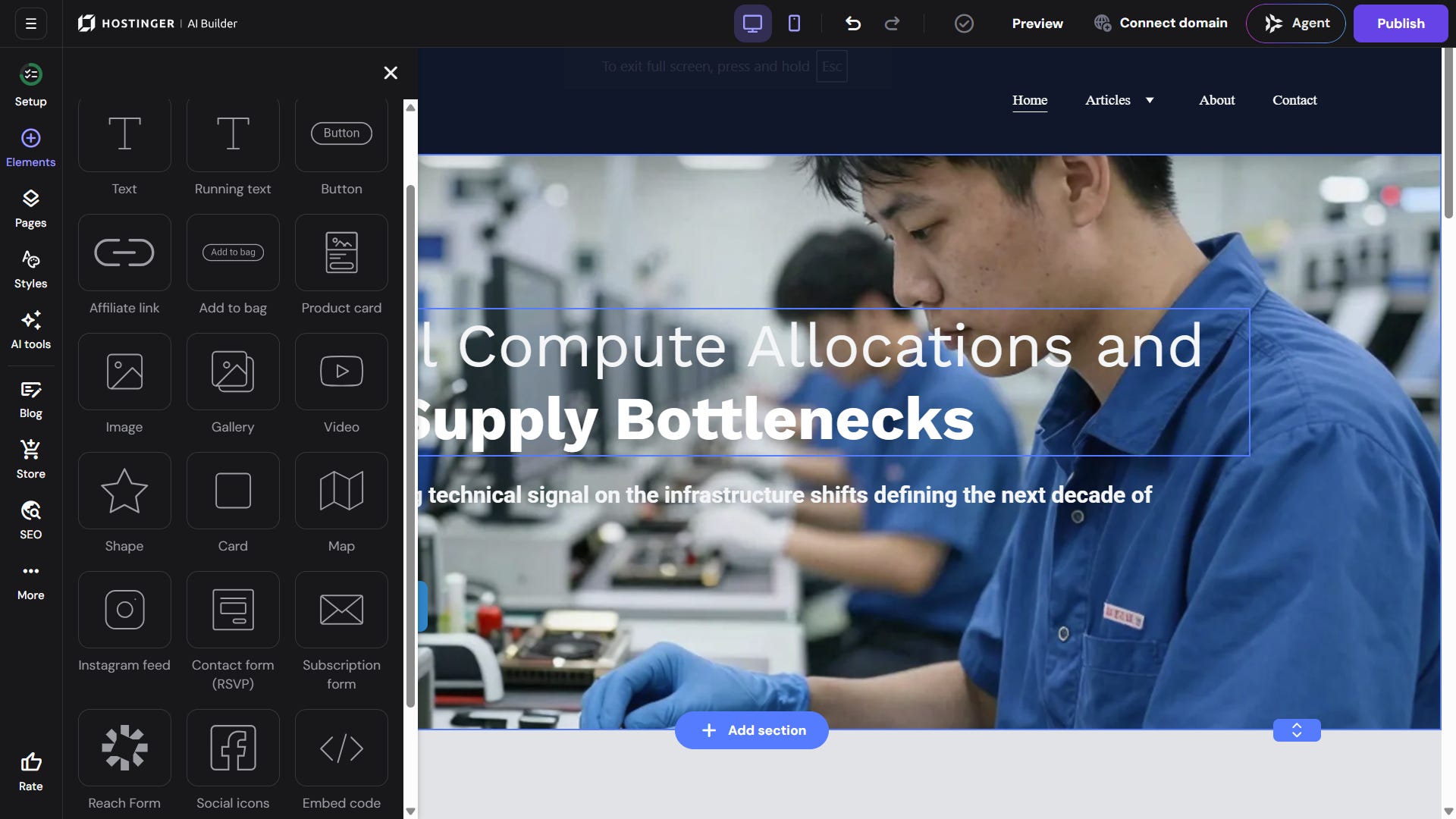
That is the benefit of the initial generation. AI is not necessarily giving you the final website in under a minute, but it is skipping much of the blank-page work and getting you significantly closer to one.
It also makes Manual Mode feel sensibly designed for this type of project. Once the broad structure is in place, moving sections or tweaking the layout directly can be faster than repeatedly describing minor visual changes to an AI.
Can Agentic Mode Turn an Idea Into a Tool?
Agentic Mode becomes more interesting when the request stops sounding like a website brief.
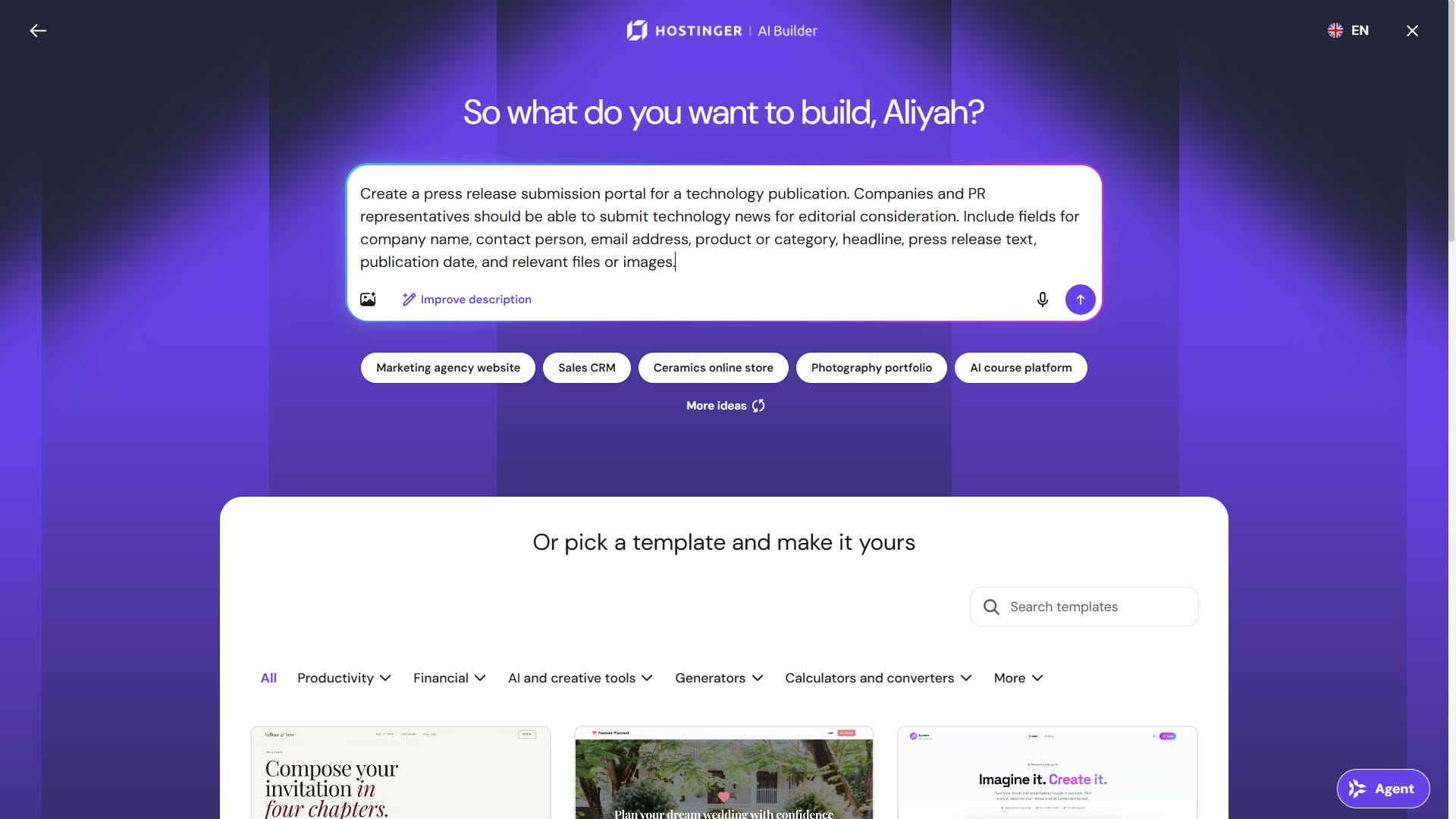
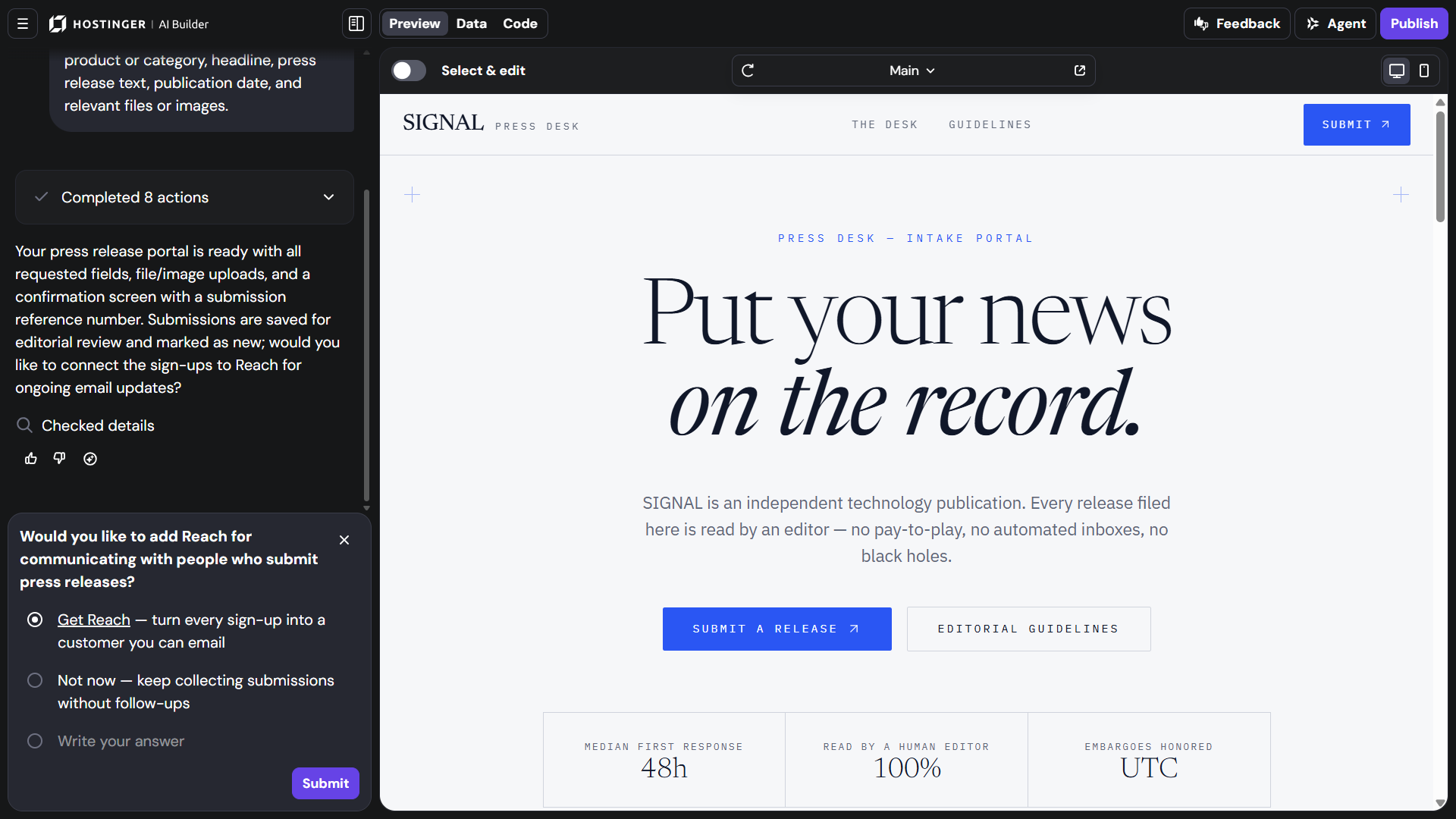
For our second test, we asked it to create a press release submission portal for a technology publication. Companies and PR representatives needed to be able to submit their company name, contact person, email address, product or category, headline, press release text, publication date and relevant files or images.
The first version took around five minutes—longer than Manual Mode, but understandable given that the request involved more than generating a layout.
More importantly, we had a starting point without having to explain how a submission system should technically be built.
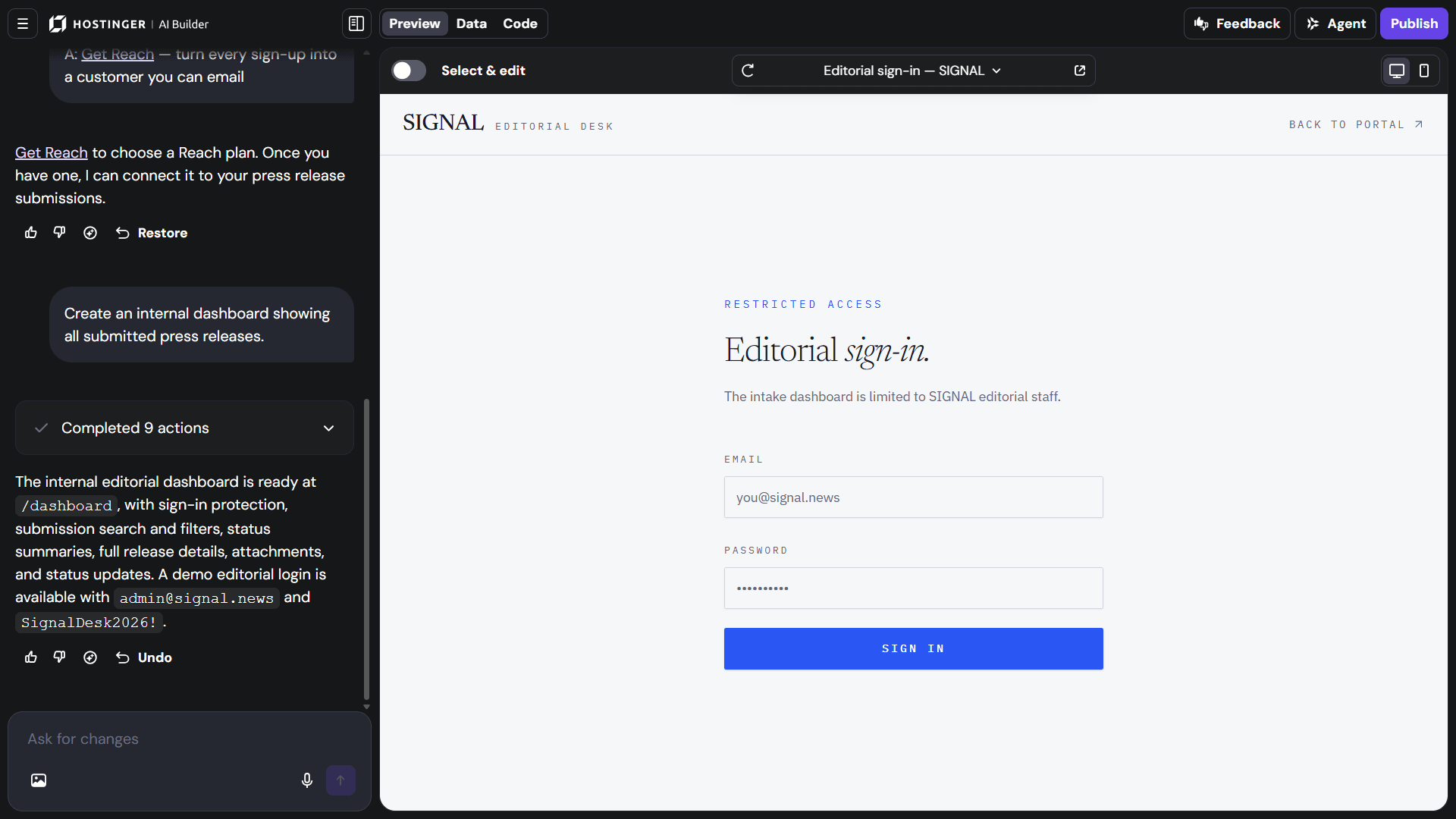
We then asked Hostinger to add an internal dashboard showing the submitted press releases. Around three to four minutes later, that was there too. Another prompt added search and made it easier to distinguish between new, reviewed and rejected submissions.
The experience became less about constructing individual components and more about iterating on an idea.
That was particularly apparent when we noticed too much empty space in the mobile version. Rather than hunting through layout settings, we simply asked: “Can you reduce the negative space in mobile view to make the site look a lot more compact?”
The resulting mobile layout became slightly tighter while the desktop version remained unchanged.
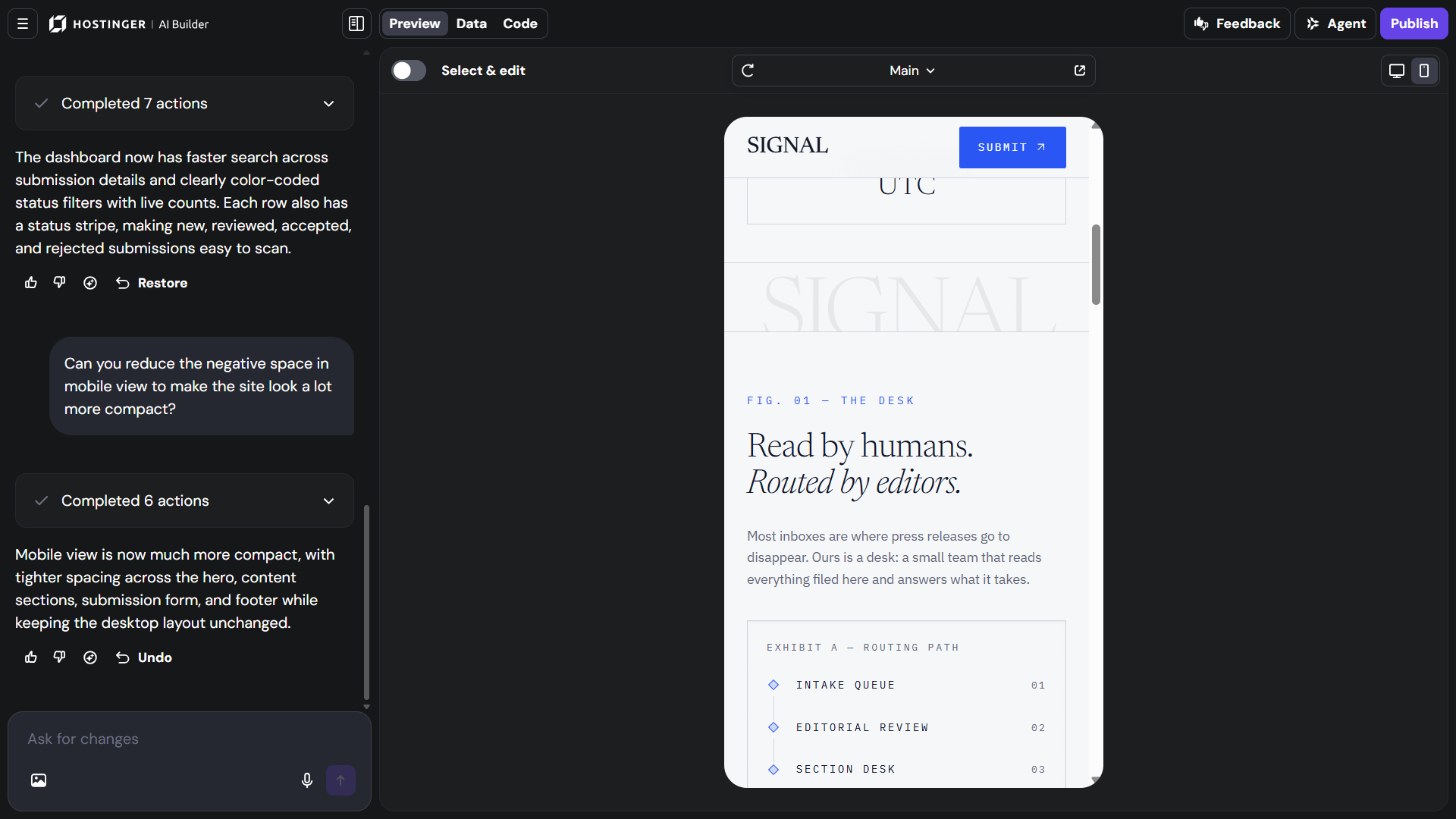
This is where Agentic Mode starts to justify having a separate interface. If a feature is easier to explain conversationally than to manually assemble, asking for the outcome can be considerably more approachable than figuring out the technical steps behind it.
Agentic actions consume AI credits—about five to 10 for a simple business page and 15 or more for complex SaaS-like projects—so it helps to bundle related requests.
Building Is Only Half the Job: What Happens When We Try to Put it Online?

The next part of the test was getting the projects online. Instead of generating a site and then leaving the user to figure out hosting, domains, and security somewhere else, much of what is needed to launch it sits in the same ecosystem.
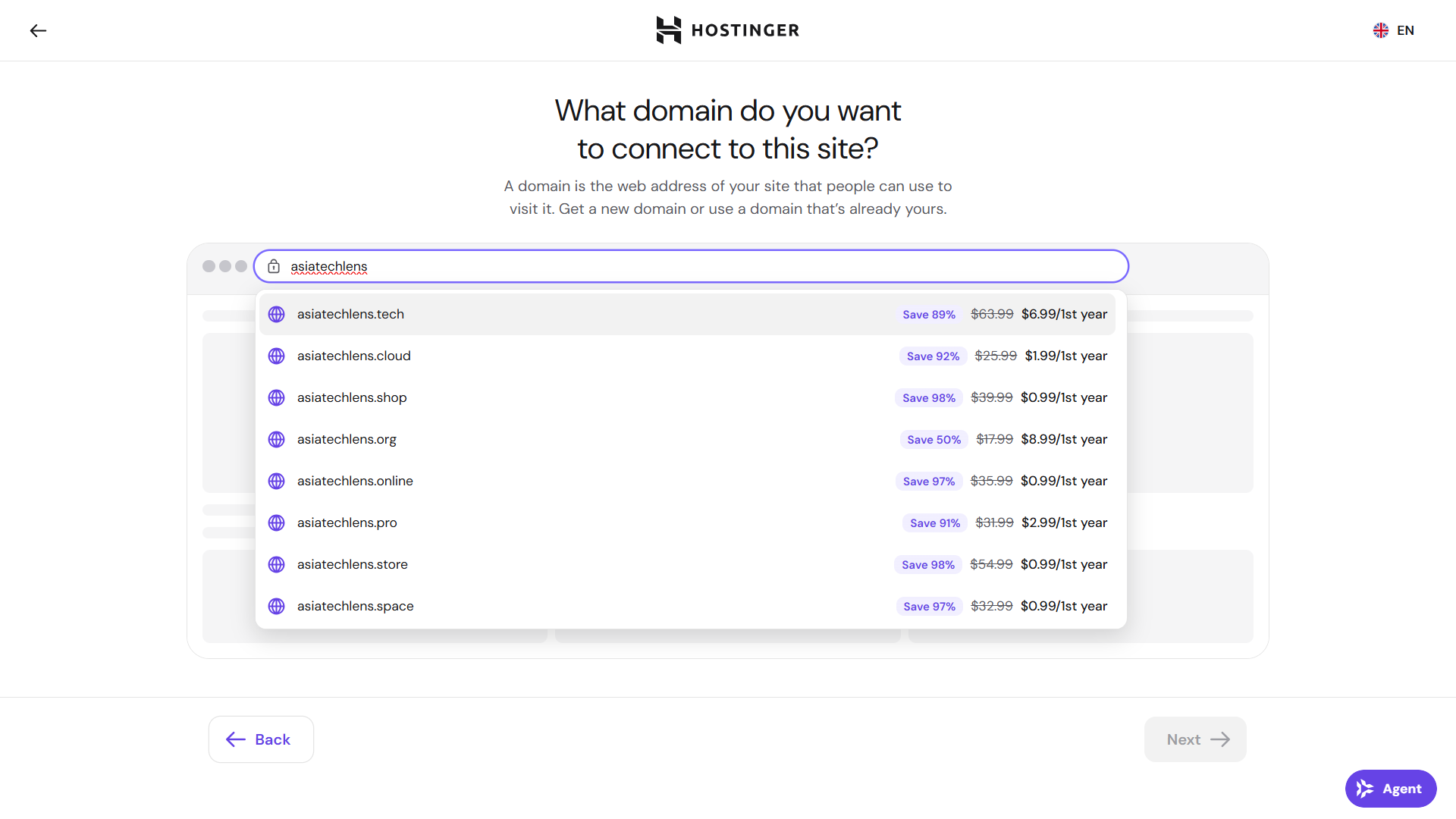
In Manual Mode, a project remains private until the user publishes it, and the actual launch process is handled directly inside the builder. Domains can be pointed to AI Builder through Hostinger, while externally managed domains can be connected through supported DNS methods.
SSL certificates are managed automatically, with HTTPS enabled once the site is properly connected and published.
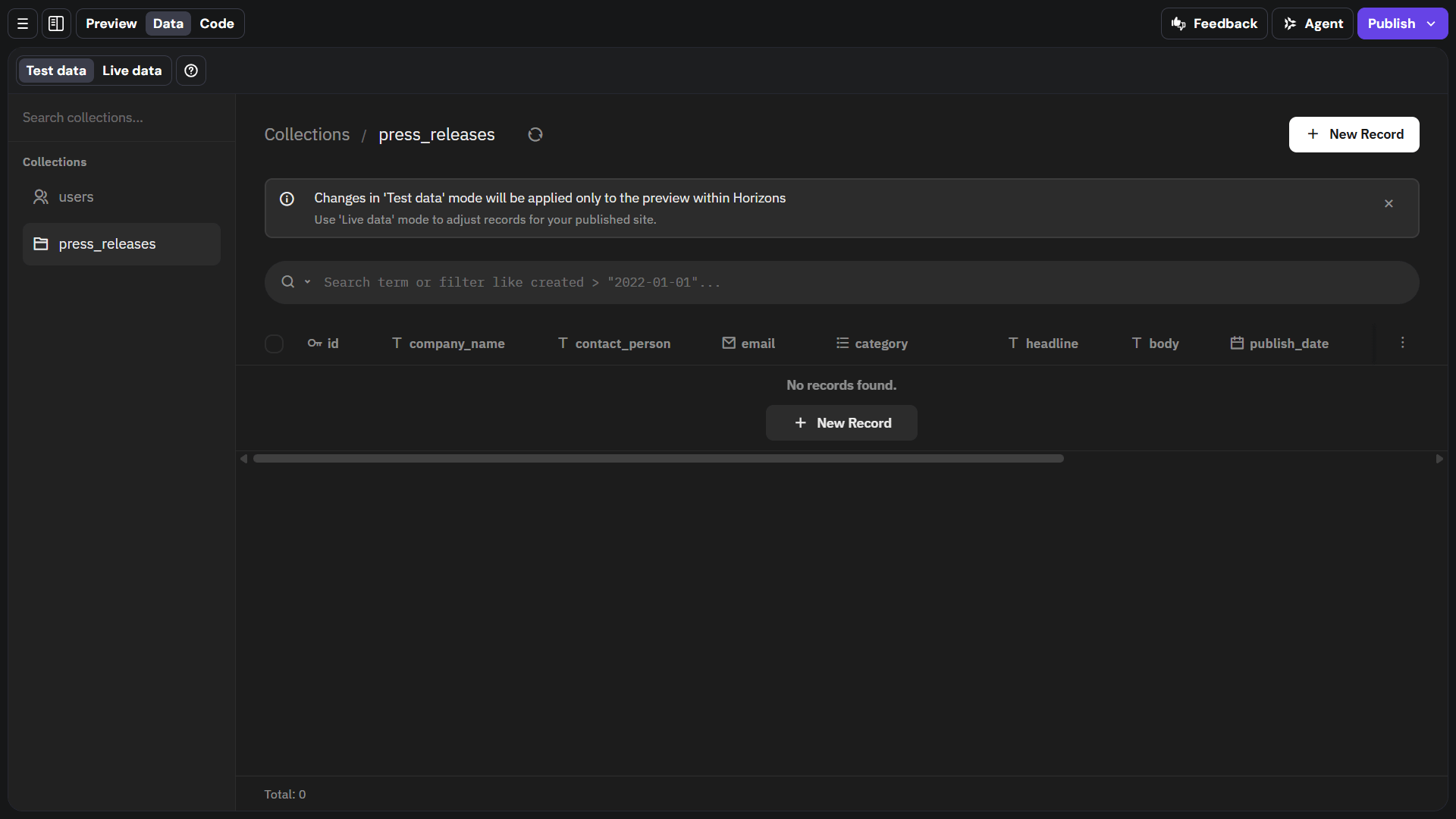
The integrated backend was particularly relevant to our Agentic Mode test, such as our press release portal. Hostinger provides an integrated backend for working with project data and user-uploaded files, rather than requiring users to immediately configure their own external database or storage system.
For our use case, that considerably shortens the conceptual jump between “we created a submission form” and “we created something capable of doing useful work with those submissions.”
More advanced projects can still require outside services, and Hostinger supports integrations with external databases and APIs where needed. But for our case, having the builder, backend, hosting and publishing tools connected removes several points where the project could otherwise become considerably more complicated.
Hostinger also leaves room for a project to move beyond the builder. Agentic Mode code can be exported as a Node.js project built with React and Vite, although integrated backend data is managed separately and is not included in that export.
Taken together, that integration may ultimately matter more than how quickly the first page appears. Generating a prototype is useful; making the path from that prototype to something deployed and functional relatively straightforward is what makes the platform feel more complete.
How Businesses Are Using AI Builder Beyond Our Test
The use cases do not necessarily have to be as elaborate as our press release tool.
AI Builder’s flexibility shows in the range of projects users can create with it. One example is a business that grew from a local shop into a brand shipping products across India. Its website serves a comparatively conventional role: establishing an online presence, presenting products clearly and supporting ecommerce as the business grows beyond its original physical footprint.
Another example is an independent creator with around 400,000 subscribers who runs the operation largely alone. There, the website functions as owned digital infrastructure around an audience and body of work that already exist elsewhere.
That range is the broader point: AI Builder is intended to support everything from conventional business websites to more customized web apps and interactive tools, depending on what the project calls for. Not every user needs a complex application; sometimes the more practical benefit is simply being able to build the kind of online presence they need without turning the development process into a technical undertaking.
Which Mode Fits Which Project?
Our testing made the distinction between the two modes clearer in practice. Manual Mode made more sense when the basic shape of the project was already familiar. Once the technology site had been generated, most of the remaining work involved replacing content, adjusting the layout and deciding how the finished site should look.
Agentic Mode became more useful when the project depended more on behavior. With the press release portal, we could concentrate on what the system needed to do, then refine it through additional requests as new requirements emerged. That made experimentation easier.
Neither approach removed the need for human judgment. We still had to evaluate the copy, layout, and visual hierarchy, spot problems, and decide whether a generated feature actually addressed what we were trying to accomplish. In that sense, AI Builder shifted some of the work away from initial construction and toward defining, reviewing, and refining the result.
Convenience does come with a cost. Agentic actions consume AI credits, and more complex projects may still require external integrations or additional technical work beyond what the builder handles.
Both modes can be tried free without a card, with five AI credits included to start. Paid plans begin at $2.99 per month and come with a 30-day money-back guarantee.
In our tests, Hostinger shortened the distance between the initial idea and something concrete enough to evaluate. It does not eliminate the work that comes after that first version, and the amount of refinement will depend on what is being built. But rather than beginning with a blank canvas or the underlying technical implementation, we were able to begin with something functional and work forward from there.
Produced with support from Hostinger.
More from Asia Tech Lens
At WAIC Hong Kong, the AI Conversation Has Moved Past the Model Race
The AI market is increasingly about products people can actually use and pay for, not just better models. The piece looks at coding as one of AI’s clearest commercial use cases and the wider shift toward packaging AI for everyday users.AI’s Winners and Losers: Big Tech Surges, Legacy Software Falters
AI-native tools are beginning to challenge traditional software and IT-service models by making some capabilities cheaper and easier to access. That disruption provides useful context for why tools that let users build their own sites, workflows and applications matter.Before AI Can Work, Southeast Asia’s Enterprises Need To Fix Their Data
This piece looks at the data, process and human factors that determine whether AI moves beyond a successful demo into something people actually keep using.China’s OpenClaw Wave: Signal or Noise?
OpenClaw’s rapid spread in China shows what happens when sophisticated AI tools become easy enough to deploy that adoption moves beyond specialist developers.Asia’s Agentic Moment: The Manus Interview That Preceded Meta’s Billion-Dollar Move
A look at how Manus approached AI agents as a product category rather than just a model feature, with an emphasis on usability, execution and real-world workflows.